


Skip to content

How to Migrate from .NET 8/.NET 9 to .NET 10 Without Disrupting Business Operations

Featured Image

Executive Summary

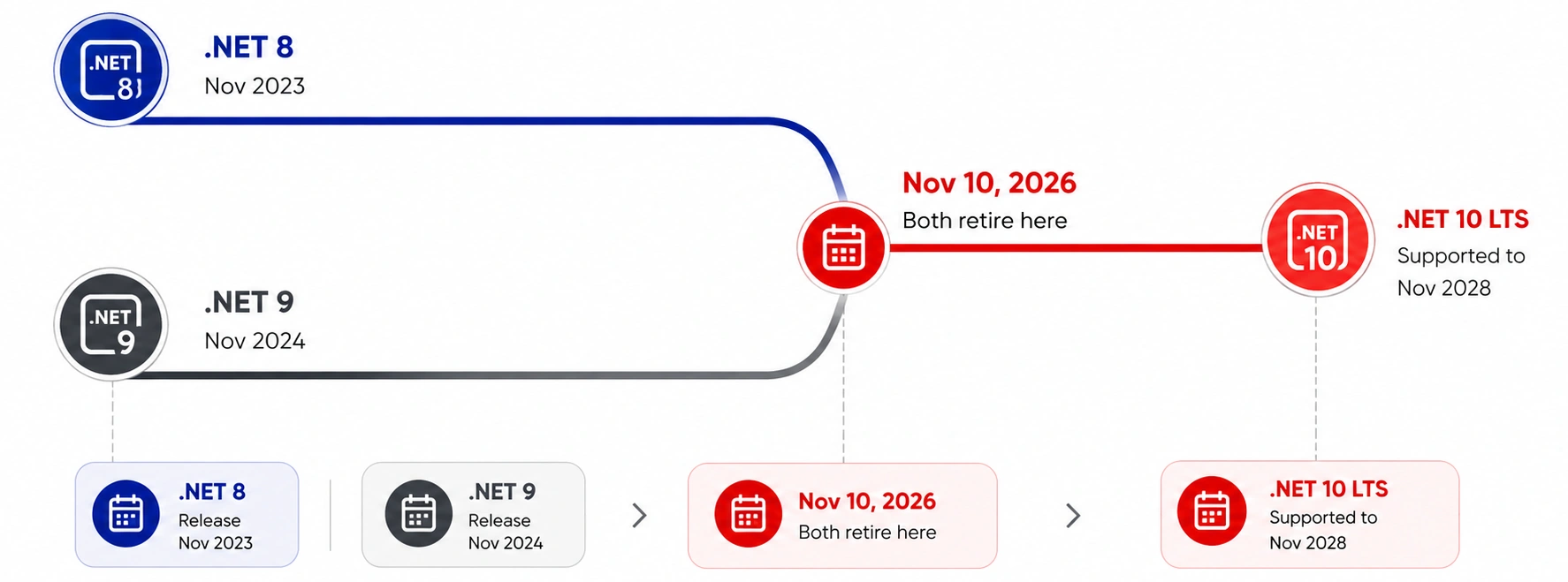
Microsoft now retires .NET 8 and .NET 9 on the same date: November 10, 2026. The only Long Term Support option left standing is .NET 10, covered through 2028. This page shows exactly how Azilen helps US companies migrate from .NET 8 to .NET 10, or migrate from .NET 9 to .NET 10, without taking a single transaction offline.

Every business leader wants modern technology.

At the same time, nobody wants downtime.

That creates a challenge.

Many organizations know they should migrate to .NET 10. Yet they delay the decision because they worry about application failures, customer disruptions, and operational risks.

Unfortunately, waiting often creates bigger problems. Older frameworks gradually become harder to maintain. Security risks increase. Technical debt grows. Development teams spend more time fixing issues instead of building new capabilities.

The question is no longer whether you should migrate to .NET 10. The real question is how to do it without affecting the business.

That is exactly where a proven migration strategy becomes critical.

Migrate from NET 8NET 9 to NET 10

What changes in the business when you migrate to .NET 10?

To an IT team, this can look like a routine framework bump. To a CEO or COO, it should look like a three-year insurance policy. .NET 10 is a Long Term Support release, so patches stay predictable instead of arriving on a yearly scramble.

Lower cloud bills

The runtime itself runs measurably faster, which tends to cut compute cost without touching application code.

Three calm years

One LTS upgrade now removes the need for another forced migration until November
2028.

Future-ready security

New cryptography standards arrive built in, ahead of post-quantum rules banks and insurers are already planning for.

Put simply: a move to .NET 10, whether you migrate from .NET 8 to .NET 10 or migrate from .NET 9 to .NET 10, isn’t a refresh. It’s three years of stability, bought once.

How Does Azilen Help Businesses Migrate to .NET 10 Safely?

For most executives, a .NET migration is not a technology project.

It is a business decision.

That is why, at Azilen, we approach every .NET migration with a business-first mindset.

Rather than starting with code, we start with understanding how the application supports your business. We evaluate customer-facing processes, critical integrations, operational dependencies, compliance requirements, and potential business risks before any migration work begins.

Our goal is simple: help organizations migrate to .NET 10 while maintaining business continuity and minimizing operational risk.

Step 1: Current Environment Assessment

Step 1 Current Environment Assessment

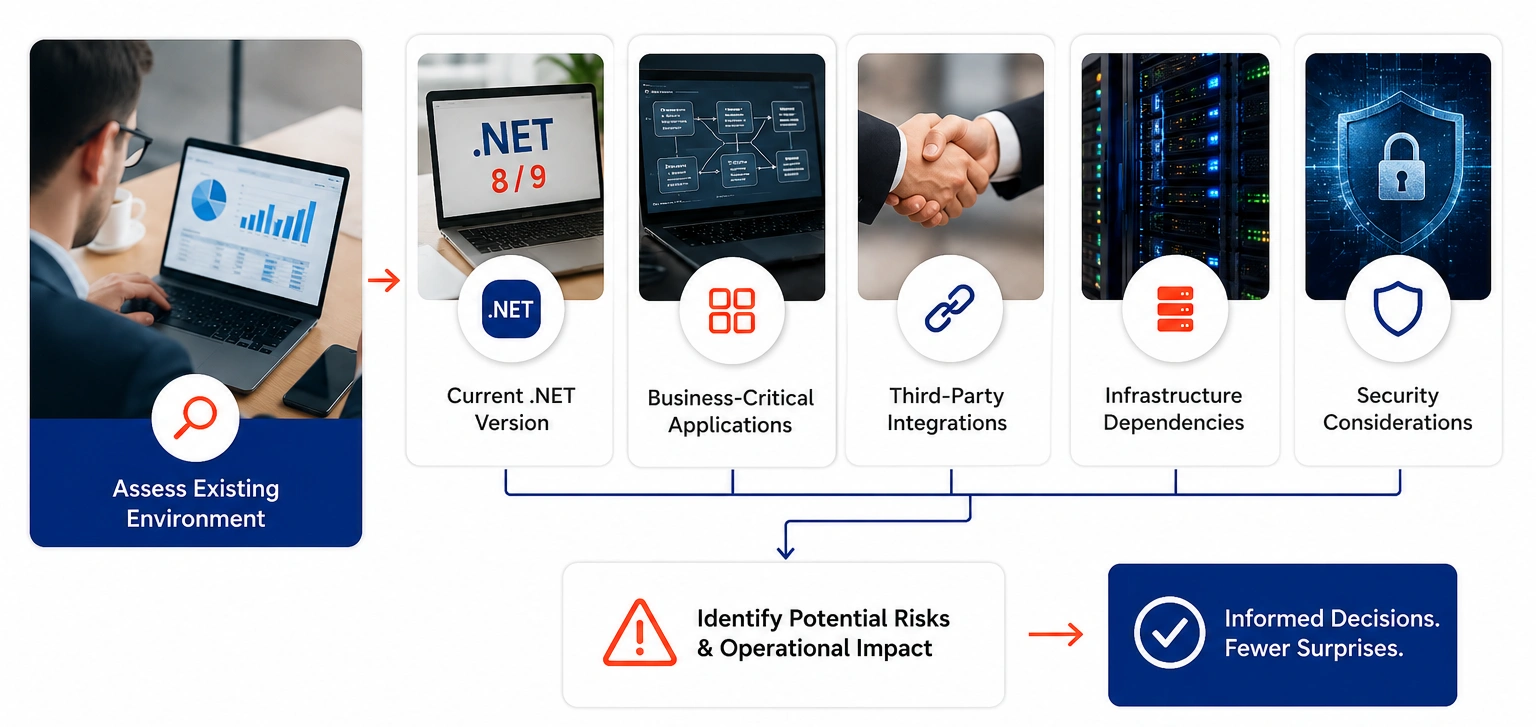
Before recommending any migration strategy, we first assess the existing application landscape.

This includes reviewing the current .NET version, business-critical applications, third-party integrations, infrastructure dependencies, and security considerations.

For business leaders, this phase provides clarity on one important question:

“What could potentially impact our operations if we migrate?”

By identifying risks early, organizations can make informed decisions rather than facing surprises later in the project.

Step 2: Application & Dependency Analysis

Step 2 Application Dependency Analysis

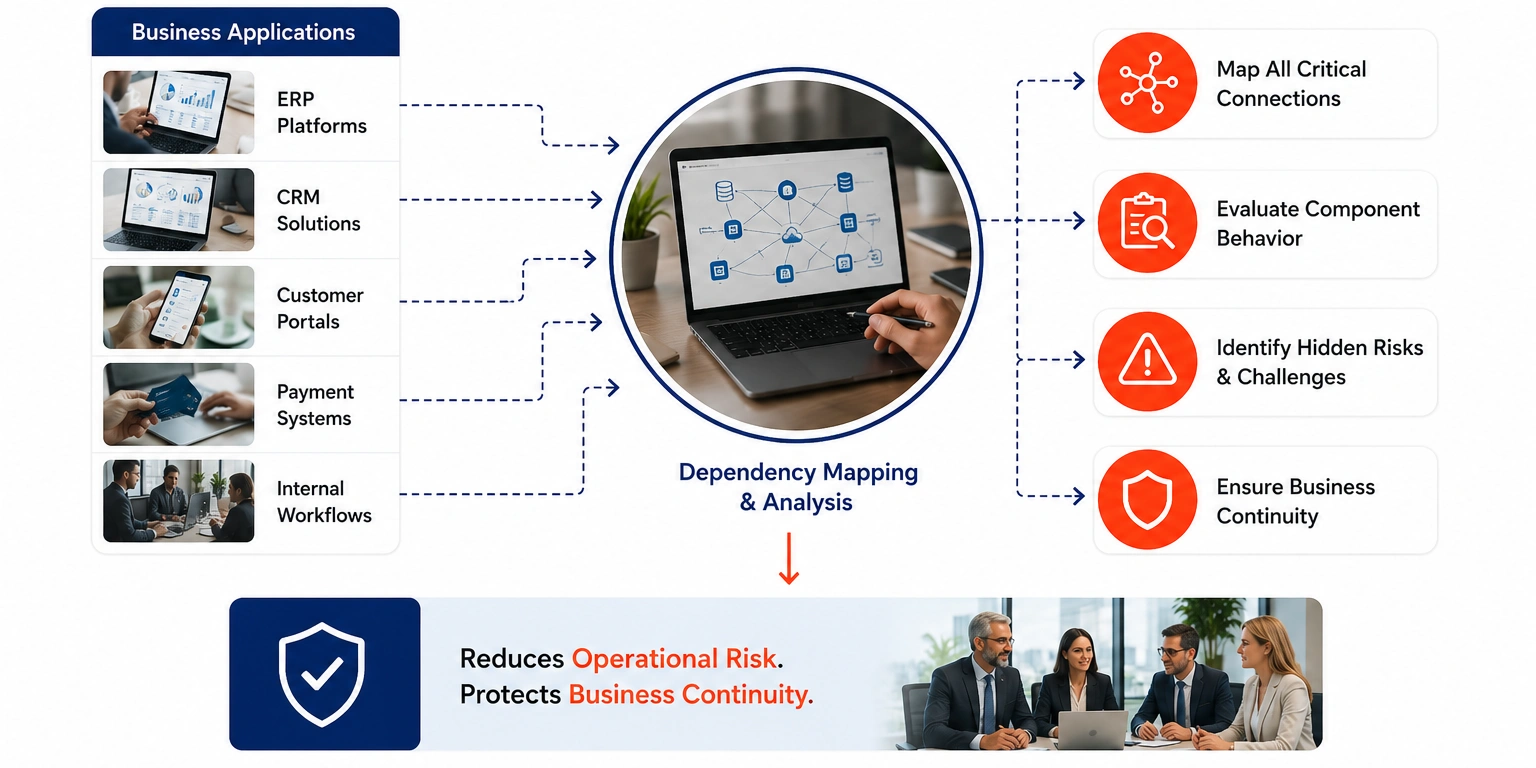
Many business applications are connected to multiple systems, including ERP platforms, CRM solutions, customer portals, payment systems, and internal workflows.

A seemingly small change can create unexpected challenges if these dependencies are not fully understood.

Therefore, our team maps all critical connections and evaluates how each component will behave after the migration.

For executives, this step significantly reduces operational risk and protects business continuity.

Migrate to NET 10
Planning to Migrate to .NET 10?
Get a free migration readiness assessment from Azilen and identify risks and opportunities before you start your upgrade journey.

Step 3: Migration Roadmap Creation

Step 3 Migration Roadmap Creation

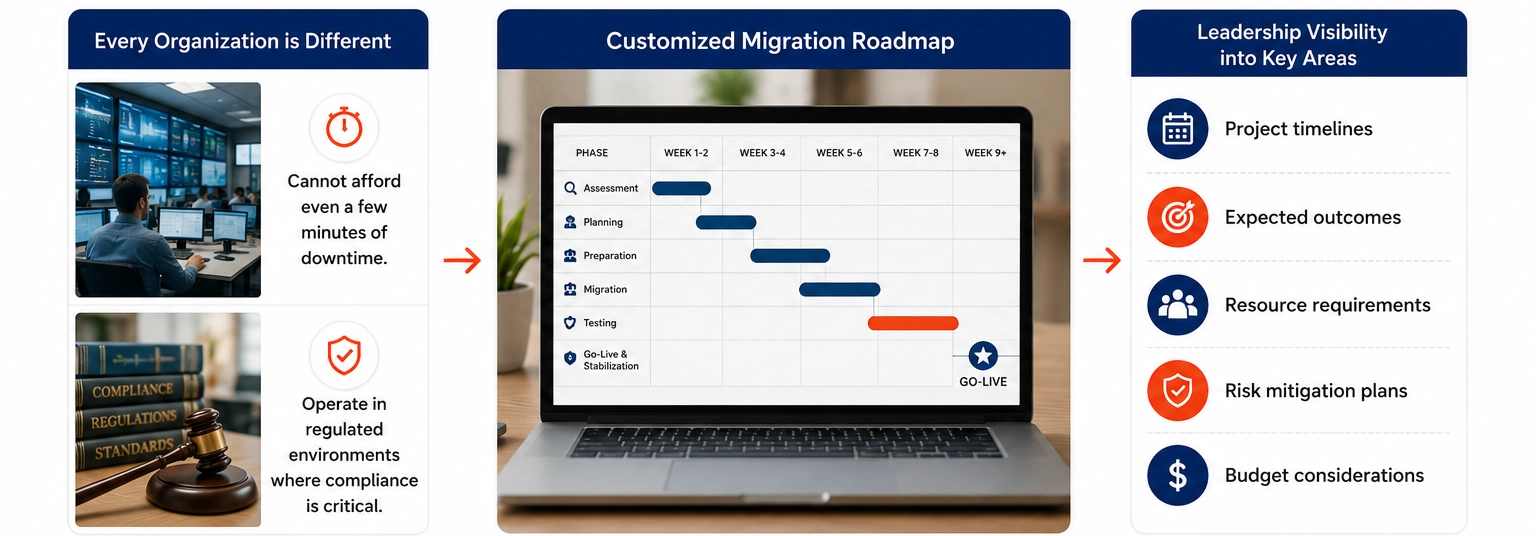
Every organization has different priorities. Some businesses cannot afford even a few minutes of downtime. Others operate in regulated environments where compliance requirements are critical.

Instead of using a one-size-fits-all approach, we create a customized migration roadmap aligned with business goals, timelines, and risk tolerance.

This gives leadership teams visibility into:

→ Project timelines
→ Expected outcomes
→ Resource requirements
→ Risk mitigation plans
→ Budget considerations

As a result, decision-makers gain a clear path forward before execution begins.

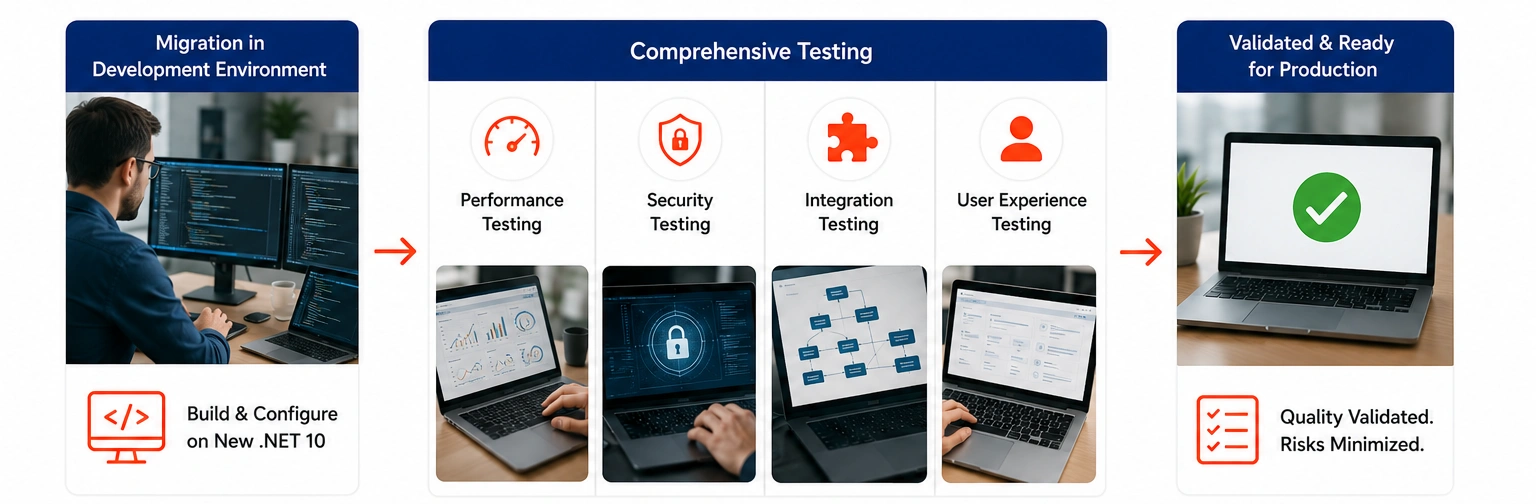
Step 4: Controlled Development & Testing

Step 4 Controlled Development Testing

This is where many migration projects succeed or fail. Before any production changes occur, we perform extensive validation to ensure that applications continue to function as expected.

Performance, security, integrations, and user experiences are all tested in controlled environments. For CEOs and CFOs, this phase helps prevent costly disruptions that could impact customers, revenue, or operations.

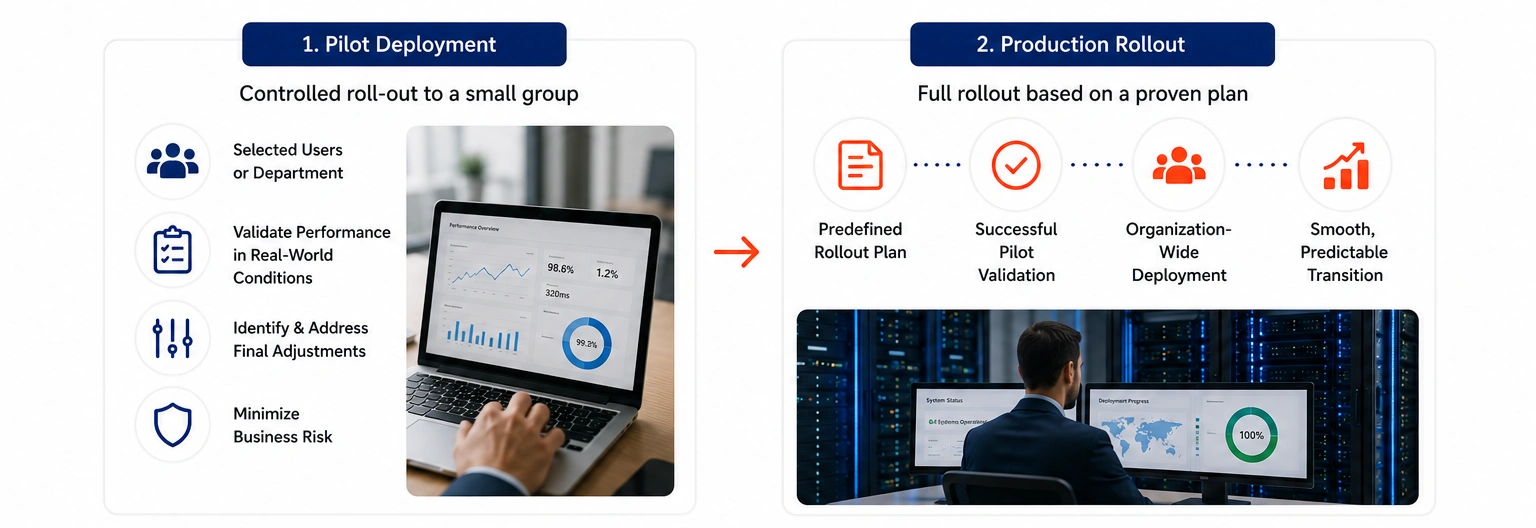
Step 5: Pilot Deployment & Production Rollout

Step 5 Pilot Deployment Production Rollout

Instead of rolling out changes across the entire organization at once, we start with a controlled pilot deployment. This helps validate performance in real-world conditions, identify any final adjustments, and minimize business risk.

Once the pilot is successful, the migration is rolled out according to a predefined plan. Because potential risks have already been identified and addressed, the transition remains smooth, predictable, and most importantly, does not disrupt day-to-day business operations.

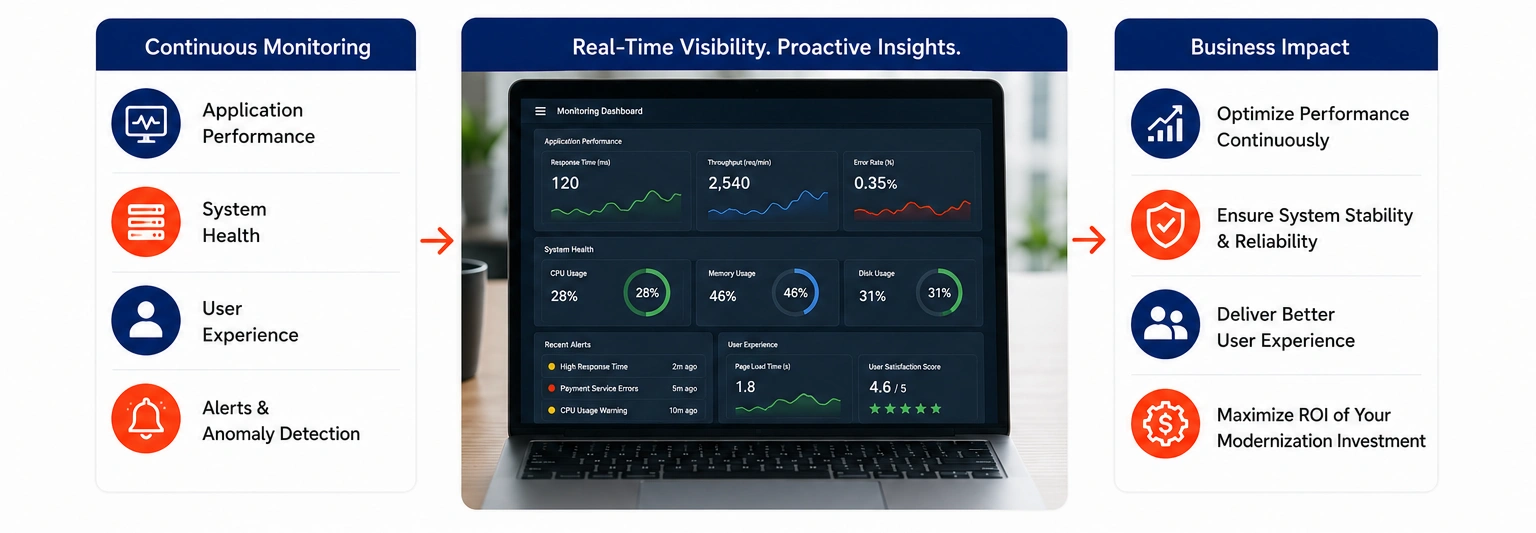
Step 6: Post-Migration Monitoring

Step 7 Post-Migration Monitoring

Migration does not end at deployment.

Following the move to .NET 10, our team continuously monitors application performance, system health, and user experience.

This proactive approach helps identify optimization opportunities and ensures the organization receives the full value of its modernization investment.

How Can You Migrate from .NET 8 to .NET 10 Without Downtime?

The most effective approach is gradual modernization.

Instead of making large-scale changes all at once, successful organizations typically:

System Modernisation & Migration Best Practices
Modernisation Best Practice
Why It Matters
Assess First Understand application complexity, integrations, and business dependencies before making architectural or platform changes.
Prioritize Critical Systems Identify systems that directly impact customers, revenue, operational continuity, and business performance.
Test Extensively Validate functionality, performance, security, and reliability before production deployment to reduce risk.
Deploy Incrementally Roll out changes in controlled stages rather than executing a full cutover, minimizing disruption and downtime.
Monitor Continuously Track system performance, operational metrics, and user experience immediately after deployment to ensure stability.

As a result, the migration creates value long after the upgrade is complete.

Why Do Companies Choose a Migration Partner Instead of Doing It Alone?

Why Do Companies Choose a Migration Partner

A cleaner executive-friendly version would be:

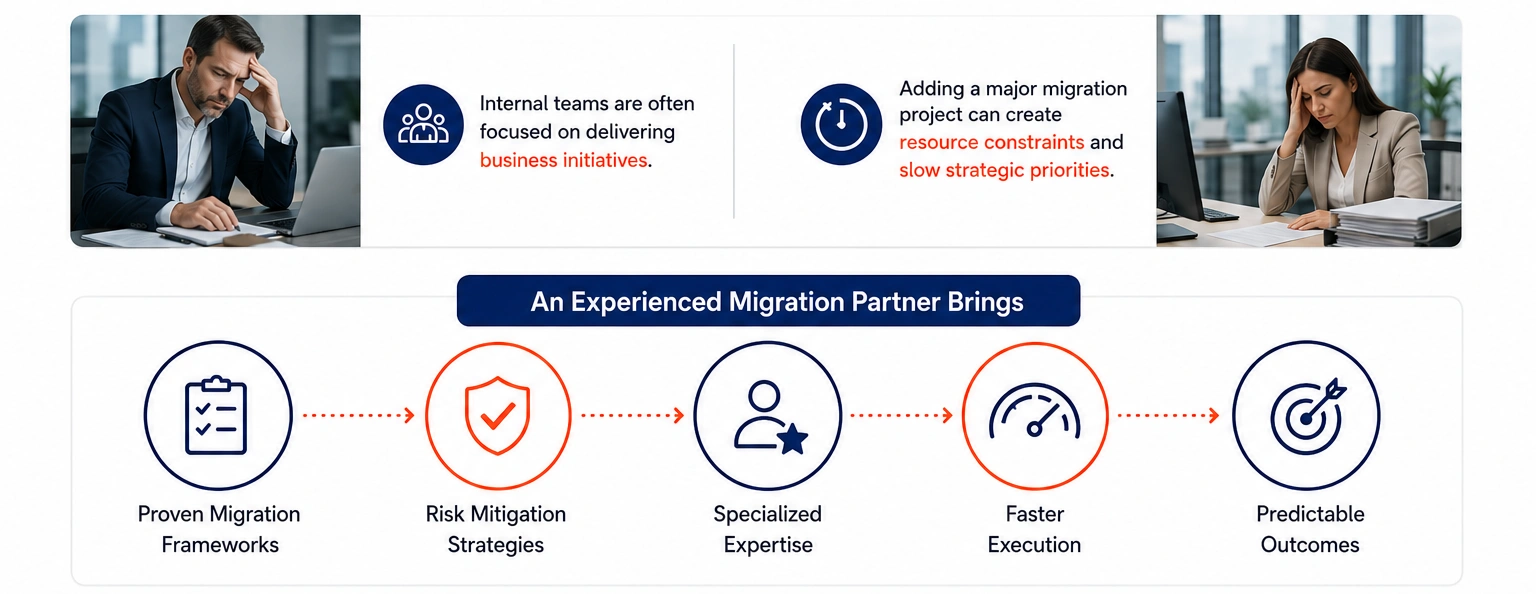
Internal teams are often focused on delivering business initiatives.

Adding a major migration project can create resource constraints and slow strategic priorities.

An experienced migration partner brings:

→ Proven migration frameworks
→ Risk mitigation strategies
→ Specialized expertise
→ Faster execution
→ Predictable outcomes

Most importantly, leadership gains confidence that the transition will not impact customers, employees, or day-to-day business operations.

Building a Successful .NET 10 Migration Strategy Requires More Than a Version Upgrade

Migrating from .NET 8 to .NET 10 or migrating from .NET 9 to .NET 10 is not simply about updating a framework. The real value comes from ensuring business continuity, reducing operational risk, and creating a stable foundation for future growth.

At Azilen, best Enterprise AI Development Company, we help organizations migrate to .NET 10 through a structured approach that combines application assessment, modernization planning, risk management, and seamless execution.

Assess Business Impact Early: Evaluate applications, integrations, and dependencies before migration begins.

Create a Clear Migration Roadmap: Align migration priorities with business goals, timelines, and operational requirements.

Minimize Downtime Risks: Use phased deployment and extensive testing to ensure uninterrupted business operations.

Strengthen Long-Term Stability: Build a modern technology foundation that supports scalability, security, and future innovation.

Accelerate Time-to-Value: Enable teams to focus on growth initiatives instead of maintaining aging technology stacks.

With the right migration strategy in place, organizations can move to .NET 10 with confidence, reduce technical debt, improve application reliability, and position the business for long-term success.

Roadmap Migrate to NET 10
Not Sure Where to Start Your .NET 10 Migration?
Explore our .NET expertise with agile engineering to build scalable, future-ready solutions.

FAQs: Migrate to .NET 10.

1. Why should businesses migrate from .NET 8 or .NET 9 to .NET 10?

Migrating from .NET 8 to .NET 10 or migrating from .NET 9 to .NET 10 helps organizations improve application performance, strengthen security, reduce technical debt, and ensure long-term platform support. More importantly, .NET 10 provides a future-ready foundation that enables faster innovation and easier scalability as business needs evolve.

2. Can we migrate to .NET 10 without disrupting business operations?

Yes. With proper planning, testing, and phased deployment, organizations can migrate to .NET 10 with minimal disruption. A structured migration approach helps identify risks early, validate critical business processes, and ensure customers and employees experience little to no downtime during the transition.

3. How long does it take to migrate from .NET 8 or .NET 9 to .NET 10?

The timeline depends on application complexity, integrations, and infrastructure requirements. Smaller applications may take a few weeks, while enterprise platforms can require several months. A migration assessment helps establish an accurate roadmap, timeline, and resource plan before execution begins.

4. What are the biggest risks when migrating to .NET 10?

The most common risks include application compatibility issues, hidden dependencies, integration failures, and insufficient testing. However, these risks can be significantly reduced through detailed assessments, phased rollouts, comprehensive testing, and continuous monitoring throughout the migration process.

5. Should we use an experienced partner to migrate to .NET 10?

For many organizations, partnering with experienced .NET migration specialists reduces risk, accelerates timelines, and improves project predictability. A migration partner brings proven frameworks, technical expertise, and risk mitigation strategies that help ensure a smooth transition while allowing internal teams to stay focused on business priorities.

author avatar
Niket Kapadia Co-Founder & Chief Technology Officer (CTO)
Niket Kapadia is Co-Founder & CTO of Azilen Technologies with 17+ years of experience in enterprise architecture, AI-driven solutions, and scalable product engineering. He specializes in building high-performance systems and aligning technology with business innovation.
google
Niket Kapadia
Niket Kapadia
CTO - Azilen Technologies

Niket Kapadia is a technology leader with 17+ years of experience in architecting enterprise solutions and mentoring technical teams. As Co-Founder & CTO of Azilen Technologies, he drives technology strategy, innovation, and architecture to align with business goals. With expertise across Human Resources, Hospitality, Telecom, Card Security, and Enterprise Applications, Niket specializes in building scalable, high-impact solutions that transform businesses.

Related Insights

GPT Mode
AziGPT - Azilen’s
Custom GPT Assistant.
Instant Answers. Smart Summaries.